


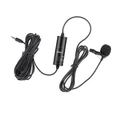


We are a professional manufacturer of high-end microphones and earphones, all products are independent research and development and production. Has its own mold design center, product development team, sales network all over the world. With the professional spirit of innovation and customer service, the company has developed from a small processing plant with more than 20 employees to a large manufacturing enterprise of large microphones and headphones audio products with more than 300 employees in just a few years.
Why Choose Us
Quality Assurance
Company to ensure product quality as the benchmark, customer service as the premise, cohesion and development of the team, improve service quality, pay attention to corporate reputation! Sincere service for new and old customers as always!
Advanced Production Technology
From the manufacturing of microphone raw materials into the factory to the finished products are all completed by the advanced one-stop production process, and through the strict quality testing of skilled technicians, to ensure that our products have beautiful appearance, superior performance, stable quality, and low price characteristics.
Company's Product
Wireless microphone, wired microphone, conference microphone (Gooseneck microphone), collar microphone, headphone, musical instrument microphone (drum set microphone), computer microphone, teaching microphone, broadcast recording microphone, interview microphone, live microphone, microphone accessories, headphone, in-ear headset, Bluetooth headset, TWS portable, etc.
Our Factory
We are a professional manufacturer of high-end microphones and earphones, all products are independent research and development and production. Has its own mold design center, product development team, sales network all over the world. With the professional spirit of innovation and customer service, the company has developed from a small processing plant with more than 20 employees to a large manufacturing enterprise of large microphones and headphones audio products with more than 300 employees in just a few years.

Toyota Car Navigation Microphone
This is a microphone used in car navigation to make phone calls, making the voice louder and clearer

It comes with a clip for easy installation, which can be clipped to the collar for use, or clipped to the visor for talking

Honda Car Navigation Microphone
Comes with double-sided tape to stick anywhere Use 3.5MM universal audio interface, plug in can be used

Our line uses a double-layer shielded line so that the audio signal does not interfere with the phone and the sound is clearer, which can achieve a downshower call. The line has long and short can be customized according to different needs

Our line uses a double-layer shielded line so that the audio signal does not interfere with the phone and the sound is clearer, which can achieve a downshower call. The line has long and short can be customized according to different needs

Audi Car Navigation Microphone
Our line uses a double-layer shielded line so that the audio signal does not interfere with the phone and the sound is clearer, which can achieve a downshower call. The line has long and short can be customized according to different needs

Comes with double-sided tape to stick anywhere Use 3.5MM universal audio interface, plug in can be used

Great Wall Motor Car Microphone
This is a microphone used in car navigation to make phone calls, making the voice louder and clearer

Comes with double-sided tape to stick anywhere Use 3.5MM universal audio interface, plug in can be used
A wireless microphone, or cordless microphone, is a microphone without a physical cable connecting it directly to the sound recording or amplifying equipment with which it is associated. Also known as a radio microphone, it has a small, battery-powered radio transmitter in the microphone body, which transmits the audio signal from the microphone by radio waves to a nearby receiver unit, which recovers the audio. The other audio equipment is connected to the receiver unit by cable.
Advantages of Wireless Microphon
Reduced Interference: One of the most significant advantages of wireless microphones is that they can reduce interference from other electronic devices. This means you can achieve a clearer and more natural sound quality, with less distortion and background noise.
Improved Range: Wireless microphones typically have a longer range than wired microphones, allowing you to move around freely during meetings while maintaining clear audio quality. This is especially useful for larger meeting rooms or auditoriums.
Hands-free Operation: Many wireless microphones are designed to be hands-free, allowing you to move around and gesture without sacrificing sound quality. This is particularly useful for presentations, speeches, or group discussions where you need to be able to move around freely.
Compatibility: Wireless microphones can be easily integrated with various devices, including laptops, smartphones, and tablets. This means that you can achieve high-quality audio regardless of the device you're using without additional audio equipment.
The Most Common Types of Wireless Microphones
Handheld Wireless Microphones
The handheld wireless microphone is the most frequently used. The wireless microphone transmitter has a form factor everyone's familiar with. Grippable handles allow performers to hold and control the microphone directly. They feature a microphone capsule integrated into a handheld transmitter. Handheld wireless microphones are suitable for live performances and speeches.

Lavalier Microphones
Lavalier microphones, also known as lapel microphones, are small, clip-on microphones that are typically worn on the user's clothing.
These microphones are technically wired microphones that connect to a wireless transmitter. Lavalier mics interface with a bodypack transmitter for a more convenient setup.
Lavalier microphones capture audio just by clipping it onto your clothes. It makes them ideal for situations where the microphone must be hidden from view. It's popular among presenters, public speakers, and broadcast professionals. After all, what these professions require is a hands-free option.
Headset Microphones
Headset microphones are another hands-free solution. It combines the portability of a Lavalier with a head-worn design. A small microphone capsule at the tip of a wire is attached to a headset frame that wraps around the user's head. Headset mics also use a bodypack transmitter.
You'll often find wireless headset mics in live performers, fitness instructors, and theatrical productions where fixed point to capture audio is required. Lavalier mics in these types of situations tend to lose their efficacy in capturing audio. Headset mics, on the other hand, follow your head movement while the mic is secure in place.
Consider Before Buying a Wireless Microphone
Microphone Capsule
Microphone capsules convert sound waves into electronic signals, which are transmitted from the microphone to the receiver and then into other audio processing equipment such as a PA system, recording device or TV camera. There are two primary types of microphone capsule: dynamic and condenser.
Dynamic microphones are ideal for capturing loud sounds such as instruments or vocals in a live environment. Dynamic mics are cheap and durable, but not very sensitive to quiet or high-frequency sounds. A dynamic microphone is well-suited to live events with lots of background noise and movement.
Condenser microphones are more accurate than dynamic mics and capable of capturing complex sounds with a greater range of frequencies. Condenser mics are perfect for stunning vocals in a theatre performance or capturing high quality audio in a recording studio. Condenser microphones are more expensive and delicate than dynamic mics (they don't deal with loud sounds very well) but in the right environment and application, there is no better choice.
Cardioid or Omnidirectional
Microphone pick up patterns are very important but if you've never heard of cardioid or omnidirectional microphones-don't worry, we'll give you all the advice you need
As the name suggests, omnidirectional microphones pick up sound from all directions and are great at capturing the collective sound on stage. But omnidirectional mics aren't such a good choice if there's ambient sounds you don't want to capture-such as recording a person's voice outside on a breezy day. Whilst you'll record their voice, you'll also pick up the hissing sound of the wind or passing traffic.
A cardioid microphone is most sensitive to the sound produced directly in front of it. Imagine a performer singing on stage, using a correctly placed cardioid microphone will help to isolate their voice from any ambient noise, such as the audience. Whereas an omnidirectional mic would get a bit of everything. Cardioid microphones are perfect for isolating the sounds you want to capture from everything else.
UHF Channels and Licences
UHF (ultra-high frequency) connectivity refers to how your wireless microphone connects to the base station. It's very similar to how your devices receive internet signals from a wireless router. Using UHF connectivity maintains the high-quality of audio and minimises the risk of interference (when two signals get jumbled up).
If you're running less than four wireless mics in your venue, you can do so using a specific license free frequency range of 863 to 865 MHz (often called channel 70). If you need more, you can purchase licences from Ofcom to use channel 38 (606.5 to 613.5 MHz).
Batteries
Making sure your wireless mic is fully charged and lasts for the big show is of paramount importance. When it comes to batteries, you have two choices. Built in lithium power packs are popular because they hold a lot of charge and can be recharged between performances. However, if one suddenly dies, this could leave you without a microphone unless you have spare battery packs ready to go.
The other option is standard batteries such as AAA or AA batteries. Although they need changing regularly, they can quickly be swapped out in the event of battery failure. Both options are perfectly viable providing good battery management and battery charging practises are followed.
Make sure the wireless mic receiver antennas and the transmitter are in line of sight. Even though a lot of UHF microphone systems can transmit through walls, a solid wall can effectively block wireless microphone signals, and even drywall or a steel equipment rack can shorten the effectiveness of the transmission.
Performers have been using mic drops more and more recently, but physically abusing your wireless microphone is never a good idea. Your wireless microphone's dependability and sound quality will suffer if the windscreen is dented or the transmitter casing is cracked.
Rechargeable batteries should not be used. Rechargeable batteries can be used with certain wireless microphone transmitters, although their output is not the same which can shorten battery life, restrict range, or require frequent recharging.
Avoid using "no name" batteries from the store. Often, these batteries in a wireless microphone transmitter barely last an hour or two.
If you frequently use wireless microphones, purchase a battery tester. For the longest battery life, always use name-brand alkaline batteries. To maximize the life of a disposable battery, use a cheap battery tester with a "good/bad" meter to determine how much battery life is left.
If your wireless microphone is installed in a metal sound system rack, check sure the antennae are facing forward and not tucked behind the rack. As a result, the signal won't be obstructed. Transmitter extensions are a cheap way to extend the range of your wireless microphones.
The loudness needs to be adjusted to suit the different vocalists. The performer will need to get used to moving about with the wireless microphone if they have never used one before. Make sure the performer is comfortable and the volume is adjusted appropriately by doing a soundcheck before to the event.
If you or a member of your staff can handle rechargeable batteries well, using them can save costs and landfill space. After every performance, take the transmitters' batteries out. This will save you from having to use batteries that are almost dead the next time you require them, and if you store your transmitter for a long time, it will also shield it from accidental leak damage.
Components of Wireless Microphone
Handheld Microphone Transmitters
These wireless mics incorporate the transmitter into their handle so both functions are contained in a single unit. As with wired handheld mics, there are numerous wireless dynamic and condenser mic models to choose from that will match just about any performer's needs. Some manufacturers offer separate transmitters that can be plugged into the XLR connector of any dynamic mic, making microphone options even more plentiful when going wireless.
Bodypack Transmitters
These units clip onto clothing (collar) and can be used with lavalier or headworn vocal mics:
Lavalier vocal mics usually attach to clothing, come in a range of sizes, and are used to capture dialog in TV and film production as well as for some public speech applications.
Headset vocal mics deliver consistent, quality sound pickup, have a headband, and are easy to position for use during highly active performances.
Wireless Microphone Receivers
The receivers are used to connect to your other devices such as mixers, amplifiers, and speakers. Most receivers come in shape of cuboid with to fit the IEA 19" rack mount. Now new design of receivers entered the market, namely "Mini Rechargeable Receiver" it comes with small size, 1/4" Plug, which can be plugged into any device equipped with 1/4" MIC IN jack, that is a great idea for non-professional applications.
How to Operate a Wireless Microphone
Setting Up The Wireless Microphone System
Setting up a wireless microphone system can be a convenient and efficient way to enhance your audio experience. Here's a step-by-step guide on how to use a wireless microphone effectively:
- Choose the right wireless microphone system: There are various types of wireless microphone systems available, such as handheld, lavalier, or headset microphones. Select the one that suits your needs and preferences.
- Unbox and inspect the equipment: Carefully unpack the wireless microphone system and check for any damage or missing components. Ensure that all the necessary parts, including the microphone, receiver, and power supply, are present.
- Connect the receiver: Connect the receiver to your audio source, such as a sound system or amplifier. Use the appropriate cables and ensure a secure connection.
- Power on the system: Turn on the receiver and the microphone. Check the battery levels of the microphone and replace them if necessary. It's always a good idea to have spare batteries on hand.
- Pair the microphone and receiver: Most wireless microphone systems have a pairing process to establish a connection between the microphone and receiver. Follow the manufacturer's instructions to pair them successfully.
- Test the audio: Speak or sing into the microphone and check if the audio is clear and audible. Adjust the volume levels on the receiver and audio source as needed.
- Position the microphone: Depending on the type of microphone, position it appropriately. Handheld microphones should be held close to the mouth, while lavalier or headset microphones should be clipped or worn near the mouth.
- Monitor the signal strength: Keep an eye on the signal strength indicator on the receiver. If the signal weakens or drops, adjust the position of the microphone or receiver to maintain a strong connection.
- Maintain and store the equipment: After use, turn off the microphone and receiver. Store them in a safe and dry place to prevent any damage.
Connecting The Wireless Microphone To The Receiver
To use a wireless microphone, the first step is to connect it to the receiver. This process ensures that the microphone's audio signal is transmitted wirelessly to the receiver, which then sends the signal to the sound system or recording device. Here's a step-by-step guide on how to connect a wireless microphone to the receiver:
- Power on the wireless microphone and receiver: Make sure both the microphone and receiver have fresh batteries or are properly charged. Turn on the power switches on both devices.
- Set the frequency: Most wireless microphones have multiple frequency channels to choose from. Set the microphone and receiver to the same frequency channel to establish a connection. This prevents interference from other wireless devices.
- Connect the receiver to the sound system: Use an audio cable to connect the receiver's output to the input of the sound system or recording device. Ensure that the cable is securely plugged into both devices.
- Pair the microphone with the receiver: On the receiver, locate the pairing button or menu option. Press and hold the button or follow the instructions to initiate the pairing process. On the microphone, press the corresponding pairing button or follow the instructions to establish a connection with the receiver.
- Test the microphone: Speak or sing into the wireless microphone and check if the sound is being transmitted to the sound system or recording device. Adjust the microphone's volume and sensitivity settings as needed.
Adjusting The Microphone's Volume And Sensitivity Settings
- Start by turning on the wireless microphone and ensuring that it is properly connected to the receiver or sound system.
- Locate the volume control on the microphone. This can usually be found on the body of the microphone or on the transmitter. Adjust the volume to an appropriate level, keeping in mind the distance between the microphone and the sound source. It is important to find a balance where the audio is loud enough to be heard clearly but not too loud to cause distortion.
- Next, locate the sensitivity control on the microphone. This control determines how sensitive the microphone is to sound. Adjusting this setting can help reduce background noise and improve the overall audio quality. Start by setting the sensitivity to a mid-range level and make adjustments as needed based on the environment and sound source.
- Test the microphone by speaking or singing into it and listen to the audio output. If the volume is too low, increase the volume control. If there is too much background noise, adjust the sensitivity control accordingly.
FAQ
Hot Tags: wireless microphone, China wireless microphone manufacturers, suppliers, factory, Wired Earphone, Workout Earphones, Rear-mounted, Moving Coil Microphone, Bluetooth Speaker with Mic, Bluetooth Wireless Microphone


