





Hey there! As a Bluetooth microphone supplier, I often get folks reaching out about sound quality issues with their Bluetooth mics. It's super frustrating when you're all set to record, stream, or present, and the audio is just not up to par. But don't worry! I'm here to walk you through some common issues and solutions to help you troubleshoot that poor sound quality.
1. Check the Connection
First things first, a weak or unstable Bluetooth connection can really mess with your mic's sound.


- Distance Matters: Bluetooth has a limited range. Usually, it works best within about 10 meters. If you're too far from the connected device, like your phone, laptop, or audio recorder, the signal can weaken. Try moving closer to the device to see if the sound improves. For instance, if you're using your Moving Coil Microphone in a large room and the audio is choppy, just take a few steps towards your recording gear.
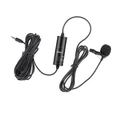
- Interference: Other Bluetooth devices or objects can interfere with the connection. Wireless routers, Wi-Fi signals, and even metal objects can cause interference. Try turning off other Bluetooth devices that you're not using nearby. Also, move the mic away from any large metal objects, like desks or cabinets. If you're using a Wireless Lapel Microphone, make sure it's not too close to your belt buckle or other metal accessories.
- Re - pair the Devices: Sometimes, a simple re - pairing can fix the connection issue. On your connected device, go to the Bluetooth settings, find your microphone, and forget the device. Then, put your mic in pairing mode (usually by pressing and holding a specific button) and re - connect it to your device.
2. Battery Issues
A low or dying battery can also lead to poor sound quality.
- Check the Battery Level: Most Bluetooth mics have an indicator light that shows the battery level. If it's blinking red or showing a low - battery symbol, it's time to recharge or replace the batteries. Some mics come with rechargeable batteries, so just plug them into a power source using the provided cable. For mics that use regular AA or AAA batteries, swap them out with fresh ones.
- Battery Quality: Using low - quality or expired batteries can cause problems. Make sure you're using good - quality batteries from a reliable brand. Cheap batteries may not be able to provide a consistent power supply, which can affect the mic's performance.
3. Microphone Placement
Where you place your microphone can have a huge impact on the sound quality.
- Avoid Background Noise: Try to place the mic away from noisy sources like fans, air conditioners, or traffic outside. If you're using a Wireless Microphone Of Metal for a podcast in your room, make sure to close the windows to reduce outside noise. Also, don't place the mic near your computer's cooling fan, as the whirring sound can get picked up.
- Proper Angle: Different mics have different pickup patterns. For a cardioid mic, which is very common, it picks up sound best from the front. So, make sure the front of the mic is facing you when you're speaking or singing. If you're using a lapel mic, clip it to your shirt at chest level and point it towards your mouth.
4. Software and Settings
Sometimes, the problem lies in the software or settings on your connected device.
- Update the Software: Make sure your phone, laptop, or other device has the latest software updates. Manufacturers often release updates to fix bugs and improve Bluetooth performance. Go to the device's settings, look for the software update option, and install any available updates.
- Audio Settings: Check the audio settings on your device. Make sure the volume is turned up and the microphone input is set correctly. Some devices may have audio enhancement features like noise cancellation or equalizer settings. Try turning these off to see if it improves the sound. Sometimes, these features can actually interfere with the natural sound of the mic.
5. Physical Condition of the Microphone
The physical state of the mic can also affect the sound.
- Clean the Microphone: Over time, dust and debris can accumulate on the mic's diaphragm or grille. Use a small, soft brush or compressed air to gently clean the mic. Be careful not to damage the delicate parts. If there are any stubborn dirt or stains, you can use a slightly damp cloth to wipe the outside of the mic, but make sure it's not too wet.
- Check for Damage: Inspect the mic for any visible damage, like cracks in the casing or loose cables. If you find any damage, it's best to contact the manufacturer for repair or replacement options. A damaged mic is likely to produce poor - quality sound, and trying to use it further may only worsen the problem.
6. Environmental Factors
The environment in which you're using the microphone can play a role in sound quality.
- Humidity and Temperature: Extreme humidity can cause moisture to build up inside the mic, affecting its performance. High temperatures can also cause the components to overheat. Try to use the mic in a stable environment with moderate humidity and temperature. If you're in a very humid area, you can use a dehumidifier to reduce the moisture in the air.
- Acoustics: The acoustics of the room can impact the sound. A room with hard, bare walls can cause echoes and reverb. You can add some soft materials like curtains, carpets, or acoustic panels to absorb the sound and reduce these issues.
If you've tried all these steps and you're still having problems with the sound quality of your Bluetooth microphone, don't hesitate to reach out. We're here to help you find the best solution, whether it's getting a replacement mic or further assisting you with troubleshooting.
As a Bluetooth microphone supplier, we offer a wide range of high - quality mics, including the Wireless Microphone Of Metal, Moving Coil Microphone, and Wireless Lapel Microphone. If you're looking for a reliable Bluetooth microphone for your recording, streaming, or presentation needs, we'd love to have a chat with you. Contact us to start the procurement process and get the best audio equipment for your projects.
References
- General knowledge in the field of audio technology and Bluetooth devices.
- User experiences and common issues reported by customers over the years.