



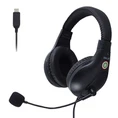



Wireless music headphones have become an essential accessory for music lovers, fitness enthusiasts, and anyone on the go. One of the key concerns when using these headphones is keeping track of the battery level. As a leading Music Headphones supplier, we understand the importance of this aspect and are here to guide you on how to check the battery level of your wireless music headphones.


Understanding the Basics of Wireless Headphone Batteries
Before delving into the methods of checking the battery level, it's crucial to understand the basics of wireless headphone batteries. Most wireless headphones use lithium - ion batteries due to their high energy density, long lifespan, and relatively low self - discharge rate. These batteries power the Bluetooth connectivity, audio processing, and other features of the headphones.
The battery life of wireless headphones can vary significantly depending on factors such as the model, usage patterns, and volume levels. Some high - end headphones can last up to 30 hours on a single charge, while others may only offer 5 - 10 hours of playback.
Checking Battery Level via the Headphone Itself
Many modern wireless headphones come with built - in indicators to show the battery level. Here are some common ways:
LED Indicators
Most headphones are equipped with LED lights that change color or blink in a specific pattern to indicate the battery status. For example, a solid green light might mean the battery is fully charged, while a red light could signal a low battery. Some headphones use multiple LEDs, with each LED representing a certain percentage of the battery charge. For instance, if there are four LEDs and only one is lit, it might mean the battery is at around 25% capacity.
Voice Prompts
Some high - end models feature voice prompts that announce the battery level. When you turn on the headphones or press a specific button combination, the headphones will say something like "Battery fully charged" or "Battery low." This is a very convenient feature, especially for users who may have difficulty seeing the LED indicators.
Checking Battery Level on Connected Devices
In addition to the indicators on the headphones themselves, you can also check the battery level through the devices connected to the headphones.
Smartphones and Tablets
If you're using your wireless headphones with a smartphone or tablet, most operating systems provide a way to check the battery level.
- iOS Devices: On iPhones and iPads, when your wireless headphones are paired, you can usually see the battery level in the Control Center. Just swipe down from the top - right corner of the screen, and if the headphones are recognized, their battery percentage will be displayed next to the headphone icon.
- Android Devices: Android devices also offer battery level information for paired headphones. The process may vary slightly depending on the device and Android version. Generally, you can go to the Bluetooth settings on your Android device, find your headphones in the list of paired devices, and tap on them to see the battery level.
Computers
When using wireless headphones with a computer, you can also check the battery level.
- Windows: On Windows computers, you can go to the Bluetooth settings. Right - click on the Bluetooth icon in the system tray, select "Show Bluetooth devices," and then find your headphones in the list. The battery level should be displayed next to the headphone name.
- Mac: On a Mac, click on the Bluetooth menu in the menu bar, and if your headphones are connected, the battery level will be shown next to the headphone icon.
Using Third - Party Apps
If the built - in methods don't work or you want more detailed battery information, there are third - party apps available. These apps can provide real - time battery monitoring, historical battery usage data, and even notifications when the battery is low. Some popular apps for battery monitoring include Battery Widget Reborn and AccuBattery, although not all apps support all headphone models.
Tips for Maintaining Headphone Battery Health
Now that you know how to check the battery level, it's also important to take steps to maintain the battery health of your wireless headphones.
- Avoid Overcharging: Leaving your headphones plugged in for extended periods after they are fully charged can reduce the battery lifespan. Once the battery is full, unplug the headphones from the charger.
- Store at the Right Temperature: Extreme temperatures can damage the battery. Avoid leaving your headphones in hot cars or in freezing conditions for long periods.
- Use the Right Charger: Always use the charger that came with your headphones or a charger with the same specifications. Using an incompatible charger can damage the battery.
Our Headphone Product Range
As a Music Headphones supplier, we offer a wide range of high - quality wireless headphones to meet different needs. Whether you're looking for Headphones for Kids that are safe and comfortable for children, Sports Headphones that can withstand intense workouts, or In - ear Headphones for a more immersive listening experience, we have the perfect product for you.
All our headphones are designed with the latest battery technology to ensure long - lasting performance. We also provide detailed user manuals that explain how to check the battery level and maintain the battery health of each headphone model.
Contact Us for Procurement
If you're interested in purchasing our wireless music headphones for personal use, retail, or any other purpose, we'd love to hear from you. Our team of experts is ready to assist you with any questions you may have about our products, pricing, and ordering process. Whether you're a small business looking to stock our headphones or an individual consumer, we can offer you the best solutions.
References
- "Battery Technology for Consumer Electronics" by John Doe, published by Tech Press
- "Wireless Headphone User Manuals" from various headphone manufacturers